top of page
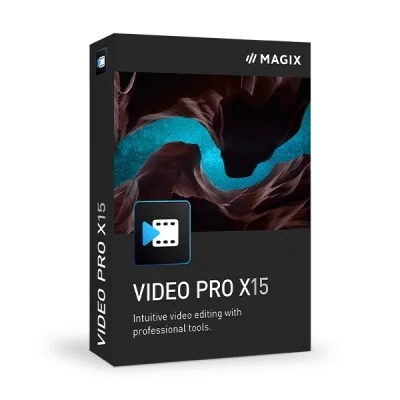
MAGIX Video Pro X 15
Brand:
MAGIX
Delivery:
Digital Licence - Email Delivery
Description
PRODUCE HIGH-QUALITY VIDEOS – QUICK AND EASY
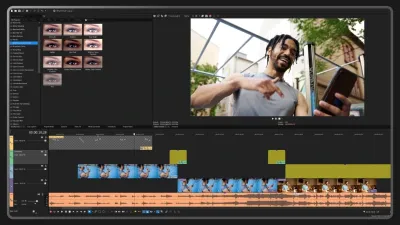
Video Pro X gives you all the tools you need to edit video. No other video editing software gets you professional results faster and easier.
INTUITIVE VIDEO EDITING IN JUST A FEW STEPS:
- Import. Importing your videos, audio files and photos is simple. Just drag and drop them into the timeline. Video Pro X supports all standard formats.
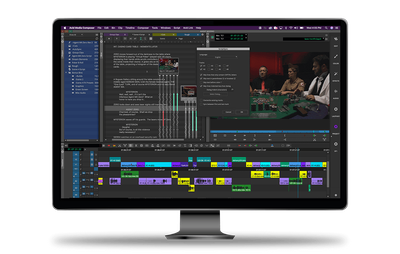
- Cut. The innovative high-speed timeline allows you to navigate and work smoothly in large projects. It also lets you work with 3-point editing.
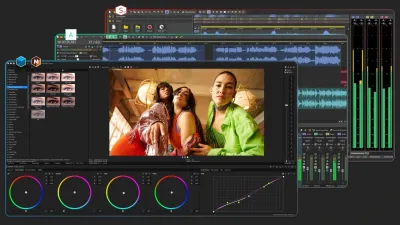
- Color and effects. Add the finishing touches to your movies with tons of intuitive effects and color grading. With Video Pro X, you receive access to a library of over 1,500 creative content items at your fingertips!
- Music & sound. Video Pro X delivers all the tools you need for audio editing and a professional soundtrack. With a subscription, you can also access free sound effects and royalty-free music.
- Export. Thanks to the INFUSION Engine 3, your video can then be exported lightning-fast, ready to share with friends, family or online.
NEW DESIGN, OPTIMIZED WORKFLOW
Sleeker, more organized, and easier to understand. Video Pro X has a new look and is more intuitive than ever before.
CUT
- Split and trim
- Full track handling
- J and L cuts
- Find and close gaps
- "Move object content" mouse mode
- Multi-track & multi-format timeline
- Precision editing with three- and four-point cuts
- Time stretching
- Beat-based editing
- Advanced search for gaps
- Nested Sequences
- Multicam editing
- Action templates
- Complete package for 360° video
WORKFLOW AND USER INTERFACE
- HiDPI interface
- Redesigned start dialog
- Vertical videos
- Color picker
- Chapter export
- Redesigned transition menu
- Integrate your own camera and effect LUTs
- Modernized effects pool & workflow
- Individual content purchase in the in-app Store
- New Media Pool and in-app store
- Lookup tables
- Snap markers
- UX optimizations
IMAGE EDITING
- 8K Ultra HD support for AVC and HEVC videos
- Broadcast-ready color effects
- HDR support
- 360 image stabilization
- 360° transitions
- 360° editing
- 1-click video stabilization
- HDR preview and color space handling
- Layer masks
- Precise color grading with 16-bit deep color
- Effect masks
- OFX: Plug-in performance
- Advanced exposure features with curves
- Reduced Moiré effects in Full HD output
- Shot match
- Image border effects
- LUT: The chameleon effect
- MAGIX Travel Maps
- New fonts and title templates
- Object tracking
- Dynamic slow motion effects
- 4K/Section animation
- Cinematic intros and outros
- Redesigned chroma key effect
- True color space handling for professional results
IMPORT AND EXPORT
- INFUSION Engine 3
- 8K support
- 10/12-bit support for professional formats
- New image format HEIF
- AVX-optimized algorithms
- OFX interface multithreading support
- Disc authoring
AUDIO EDITING
- Broadcast-ready quality
- 5.1 Surround Sound
- Real-time audio mixer
- VST2 interface
- Integrated audio cleaning
Features
- Time-saving professional editing tools including 3-point edits
- Multi-track & multi-format timeline, including nested sequences
- Professional color grading with 3-way color correction, HDR color spaces, LUTs & curves
- 1,500 creative content, HDR/blur, and shot match
- Multicam editing for up to 9 cameras including direction monitor
- HiDPI supported user interface for 4k displays
- 8K UHD-2 workflow with 360 degree editing
- VEGAS video stabilization
- INFUSION Engine 3: Hardware support for the latest GPUs by Intel, NVIDIA and AMD
- Multi-GPU support: Use multiple graphics cards simultaneously
- Optimized Intel® Hyper Encode technology
- MAGIX Travel Maps: Create custom travel route animations
- High-speed timeline offers the perfect setup for large-scale video project.
Requirements (Windows)
- Windows: Windows 11 | Windows 10
- Memory: 16 GB
- Disk: 2 GB
- CPU: Intel 6th generation Core i-series or higher, AMD Ryzen or higher

bottom of page